
Tip 1
Start slowly and learn the controls before chasing a high score.
Obby & Dead River
Browser game player
Obby & Dead River
Press start when you are ready to open the playable game area. The game loads only after you choose to play.
Word
Obby & Dead River is a castle browser game where you work with letters, spot patterns, and solve vocabulary challenges. Start with a quick run, then use related games when you want a nearby challenge.
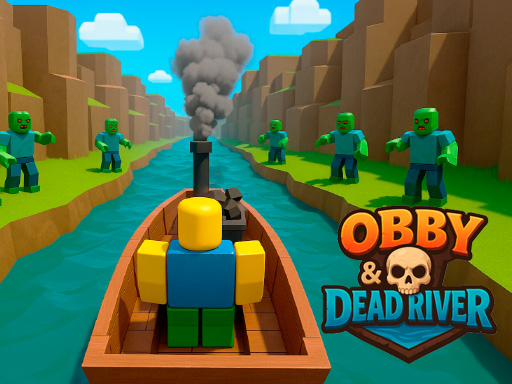
Dive into an exciting first-person 3D adventure in the style of Roblox! Your mission is to go through a dangerous path along the legendary river of death, connecting many large castles. Playing as a warrior, you will have to overcome thousands of kilometers, fight monsters and pirates, defeat dragons and get to the final boss.
Play guide
Use these notes to understand the controls, try a short first run, and decide what to play next.
Start slowly and learn the controls before chasing a high score.
Restart early if the opening route goes wrong.
Try related games when the controls or pace do not fit your device.
Directory
A stronger game portal gives visitors multiple browsing paths beyond the first grid.
Use the full category list when you know the broad style you want: action, puzzles, driving, sports, strategy, cards, word games, and more.
Topic pages group games around sharper search intent, such as football, mobile, mahjong, solitaire, merge, idle, car, word, and bubble shooter sessions.
Open individual game pages to compare controls, device fit, fullscreen behavior, related games, and external play notes before loading the frame.
Use practical guides when controls, device fit, short-session pacing, or safe third-party playback matters more than a single category label.
Page notes
Additional notes give players a clearer sense of the game, its controls, and nearby browsing paths.
Read the controls, device support, and player notes before loading the game frame so you know whether the first round expects keyboard movement, mouse aiming, touch input, or a larger screen.
If this game is close but not quite right, use the related game list for nearby play styles. Related pages are chosen from category, tags, and ranking signals so you can keep browsing without starting from search again.
Game notes, controls, tags, source behavior, and related links are grouped together so the page is easier to scan before play. If the embedded frame is blocked, use the retry or external play path and report repeat issues with the game title.
Use the player in-page first, then switch to fullscreen only after the first playable screen responds. This avoids committing to a layout that may be cramped, blocked, or better suited to a different device.
FAQ
Short answers help visitors understand the page, choose games faster, and find the right support link.
Yes. Open the game page, press the start button in the player area, and the browser game frame will load when available.
The page is responsive across desktop, tablet, and mobile screens. Some games may still feel better with keyboard and mouse controls.
Yes. Game pages are designed around browser play with a start button, player notes, related games, and fallback links. Some third-party hosts may still open in a new tab when inline embedding is blocked.
The site layout is responsive, but each game can have different controls. Check device support, control notes, and the first playable screen before committing to a longer mobile session.
The game library is refreshed during site updates so categories, topic pages, search metadata, game pages, and guide links stay aligned with the current catalog.
Try the reload control once, then use the external game link when available. If the same title repeatedly fails, include the game title, page URL, browser, and device when reporting it through the contact page.
We are collecting feedback patterns for each game page. If you notice a broken control, confusing description, or device issue, use the contact page and include this game title.